Marketplace · Case study
VendoHub AI
A seller builds a listing, Google Vision reads the photos, and a reviewer decides whether it goes live.
VendoHub AI is a Laravel marketplace I built end to end: a listing composer with a live preview, queued image processing, a reviewer dashboard and a rule-based Listing Coach. Search, chat, favourites and accounts sit around the published listing.
The code is public. A hosted demo is not: every screen below comes from a local clone with demo data.
01 Publishing flow
From a new listing to a published one.
Five stages share one listing record. Automated jobs add information to it; none of them decides whether it can be published.
-
01 Person
Compose
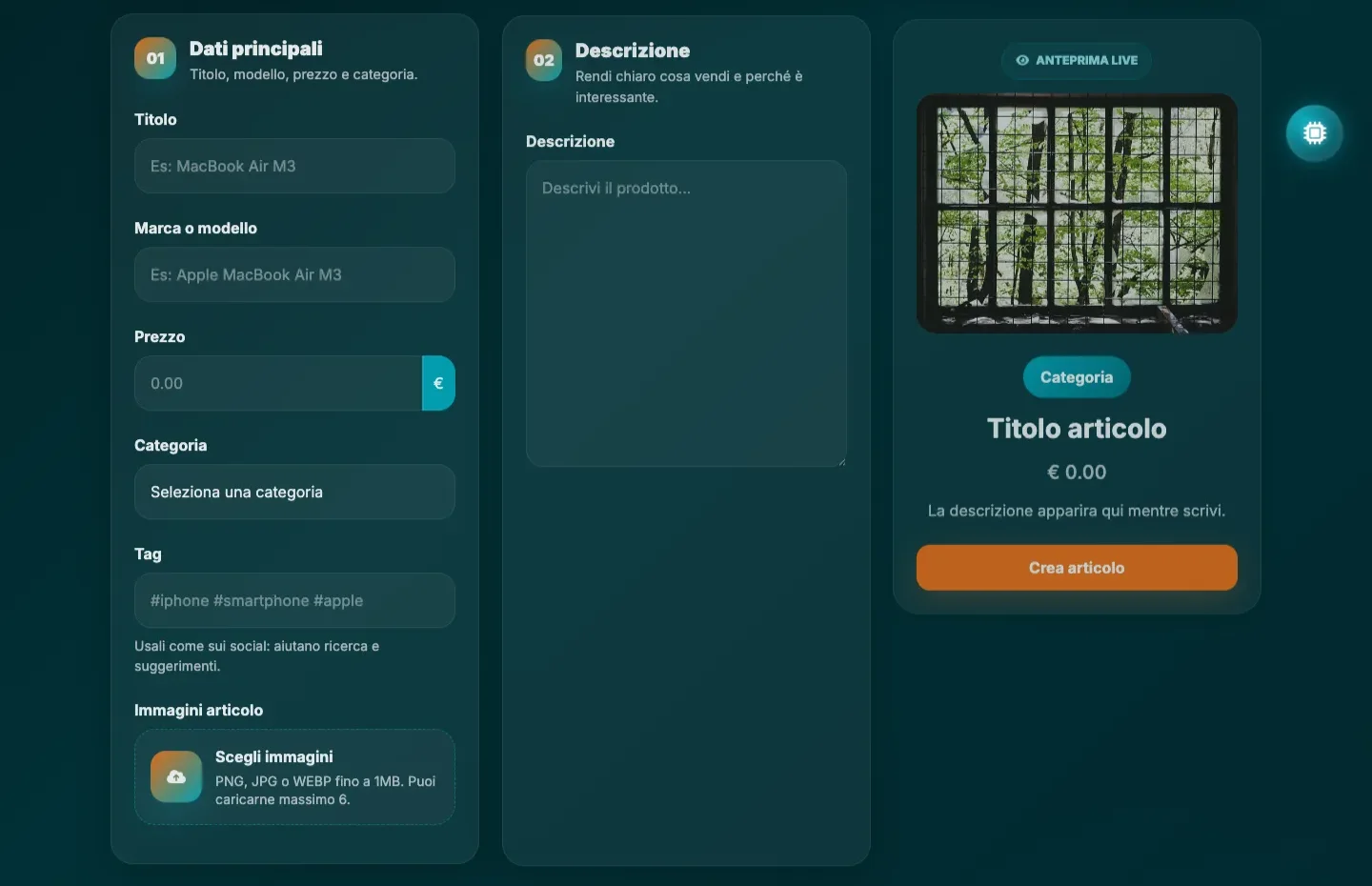
The seller fills structured fields — title, brand, price, category, tags — and uploads up to six images. The preview beside the form updates while they type.
-
02 System
Process the images
Saving the listing dispatches a chain of queued jobs: detect and mask faces, cut a 300 × 300 watermarked crop, then read SafeSearch ratings and labels from Google Vision.
-
03 System
Queue for review
The listing is stored with no decision on it. It appears in the reviewer dashboard together with its images, labels and safety ratings.
-
04 Person
Decide
A reviewer accepts or rejects the listing. This is the only stage that changes whether it can reach the catalogue.
-
05 Person
Marketplace interaction
An accepted listing enters the catalogue, where search, favourites, chat and the session cart take over.
02 Architecture
Image processing runs outside the request.
Masking faces and calling a vision API is too slow to do while the seller waits, so it happens in a queued chain. Everything around it is a plain Laravel application.
Select a layer to read what it is responsible for.
Interface
The composer is a Livewire component, which is what lets the preview redraw as the seller types instead of after a submit.
Application
A seller can only edit their own listings, and the reviewer dashboard sits behind its own middleware. Fortify handles authentication and login rate limiting.
Domain and data
Seller, buyer and reviewer screens all read the same Article model. It is prepared for Scout indexing, but public search still runs as Eloquent text filters — the index is wired up, not switched on.
Media queue
Google Vision is called here, in the queue, and never in the request the seller is waiting on. Its answers are stored alongside the image and read back later by the reviewer.
03 Moderation
What the analysis returns, and what the reviewer does with it.
Vision results are stored per image and shown next to the listing. Accepting and rejecting are the only two actions that move a listing in or out of the catalogue, and both are human.

Select a state to read what it means for the listing.
Pending
Every new listing lands here. It exists, it is not in the catalogue, and it waits in the reviewer queue with its processed images attached.
Accepted
The reviewer has approved the listing. It becomes eligible for the catalogue and can be found through search and category pages.
Rejected
The reviewer has turned the listing down. It stays with the seller and out of the catalogue.
What the automated layer produces
- Faces found in an upload, masked before the image is stored.
- A fixed 300 × 300 crop carrying the project watermark.
- SafeSearch likelihoods, mapped to states the dashboard can display.
- Label detection results, kept as context for the person reviewing.
The product includes a labels and SafeSearch ratings panel, but the text is too small to read in this capture.

04 Listing Coach
A 0–100 score based on explicit rules.
The seller console rates how complete a listing is and puts that next to its own traffic. The product calls it AI; under the hood, it’s a transparent set of rules and thresholds.

How the score adds up
Select a criterion to see which signals it reads.
Maximum 100
Signals it reads
- Description length
- Image count
- Category
- Price
- Title length
- Highlight state
- Views
- Clicks
- Favourites
- Messages
- Days online
The last five signals feed the diagnosis and the price suggestion rather than the score itself.
05 Limits
What it doesn’t do yet.
The project works end to end locally. Here’s what it doesn’t do yet.
- There is no production traffic, so there are no conversion or revenue figures. No user research has been conducted.
- Public search runs on Eloquent text filters. Scout is integrated on the model but not serving queries.
- The Listing Coach is rule-based. The term “AI” belongs to the product language and does not indicate a generative model.
- Checkout records a completed transaction inside the prototype. It is not a verified payment integration.